
Download Allegiance Advantage – Health & Fitness, HSA, HRA, FSA, Mobile App
Overview
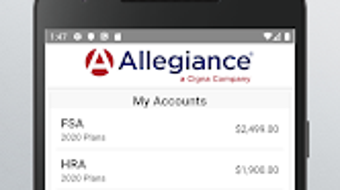
Allegiance Advantage is a mobile application designed to simplify the management of health benefit accounts, including Health Savings Accounts (HSA), Health Reimbursement Arrangements (HRA), and Flexible Spending Accounts (FSA). The app serves as a digital companion for individuals seeking real-time access to their health benefit balances and account details. By streamlining access to financial information tied to healthcare, it helps users reduce administrative burdens and avoid missed reimbursements. The application is tailored for employees and individuals enrolled in employer-sponsored health benefit plans who want to manage their accounts efficiently from a mobile device.
Developed by Allegiance Benefit Plan Management, the app operates as a secure interface between users and their health benefits provider’s online portal. It does not store sensitive account data on the device, relying instead on secure login credentials to access live account information. This approach supports privacy and reduces the risk of data exposure. Real-world use cases include checking balances on the go, reviewing claims requiring documentation, and initiating new claims with digital receipts. The app also supports account maintenance tasks such as retrieving forgotten login details and reporting lost debit cards, enhancing overall usability.
Key Features & Capabilities
- Real-Time Balance Access – View current balances across HSA, HRA, and FSA accounts instantly from any location.
- Claim Management – File new claims for medical expenses, upload photos of receipts, and track claim status.
- Account Summary Charts – Visualize account activity and balances through intuitive graphical summaries.
- Customer Service Integration – Contact support directly via phone or email with a single tap.
- Expense Tracking – Enter medical expense details and attach supporting documentation for reimbursement.
- Debit Card Management – Report lost or stolen debit cards and retrieve login credentials if forgotten.
- Payment and Payee Setup – Pay bills from any account and add new payees for recurring payments.
- Contribution and Distribution Tools – Manage HSA contributions and distribute funds across eligible expenses.
These features are particularly useful for individuals managing multiple health benefit accounts, especially those with frequent medical expenses. The ability to upload receipts directly from a mobile device streamlines the reimbursement process. Users can also monitor account activity without needing to access a desktop browser. The app’s integration with existing employer systems ensures that data remains synchronized with official records.
User Interface, Workflow & Performance
The app features a clean, intuitive interface designed for ease of navigation. Key functions are organized into clearly labeled sections, allowing users to access balances, claims, and account settings with minimal effort. The workflow is linear and predictable, guiding users through common tasks such as filing a claim or viewing account history. Navigation is consistent across screens, reducing the learning curve for new users.
Performance observations are based on general software behavior patterns. The app is described as lightweight, with a file size of 15.4 MB, suggesting efficient memory usage. It is designed to operate smoothly on Android devices running Android 6.0 or higher. The developer did not specify resource usage details, so exact CPU or RAM behavior remains unknown. Stability is assumed to be consistent with standard mobile application standards, though no formal performance benchmarks were provided.
Compatibility & System Requirements
Allegiance Advantage is available for Android devices and requires Android 6.0 or a later version. The application has a file size of 15.4 MB, indicating a lightweight installation footprint. The developer did not provide additional system requirements, such as minimum RAM or processor specifications. Platform compatibility information is limited to the operating system and version stated.
Users should ensure their device meets the minimum Android version requirement to install and run the app. No specific hardware details were included, so compatibility with older or newer devices beyond the stated version remains unverified. The app is distributed through the Google Play Store, ensuring a secure and standardized installation process.
Pros and Cons
Pros
- Free to download and use with no in-app purchases or ads
- Secure access to health benefit accounts without storing sensitive data locally
- Real-time balance and claim status updates
- Intuitive interface with straightforward navigation
- Supports key financial tasks like filing claims and managing debit cards
- Lightweight app with minimal storage impact
Cons
- Available only for Android, with no support for iOS or other platforms
- Functionality may vary based on employer or plan provider configuration
- Requires an active internet connection for full functionality
- Limited to users enrolled in specific health benefit plans managed by Allegiance
- No offline mode for accessing account data
FAQ Section
Is Allegiance Advantage available for iOS devices?
Currently, the app is only available for Android devices. There is no official version for iOS.
How secure is Allegiance Advantage?
The app does not store sensitive account data on the device. It uses secure login credentials to connect to the user’s health benefits portal, ensuring data remains protected during transmission and access.
Does the app require an internet connection?
Yes, an active internet connection is required to access account balances, file claims, and perform other functions. The app does not support offline use.
Can I use Allegiance Advantage without a health benefits plan?
No, the app is designed for individuals enrolled in health benefit plans managed by Allegiance Benefit Plan Management. It cannot be used independently of an active plan.
How often is the app updated?
The app was last updated on February 15, 2024. Updates are released periodically to improve functionality and security.
Final Thoughts + CTA
Allegiance Advantage offers a focused, secure, and user-friendly solution for individuals managing HSA, HRA, and FSA accounts. Its lightweight design, real-time access to financial data, and robust feature set make it a valuable tool for employees navigating complex health benefit systems. While limited to Android and dependent on employer plan integration, it delivers strong value for its target audience. The absence of ads and in-app purchases enhances the user experience, and the app’s commitment to data security is a notable strength.
For anyone enrolled in a plan managed by Allegiance Benefit Plan Management, this app simplifies daily financial tasks related to healthcare. It reduces the time spent on administrative duties and empowers users to take control of their health finances on the go. With its intuitive interface and reliable performance, Allegiance Advantage stands out as a practical desktop companion for modern health benefit management.
Download Allegiance Advantage now






.png)
